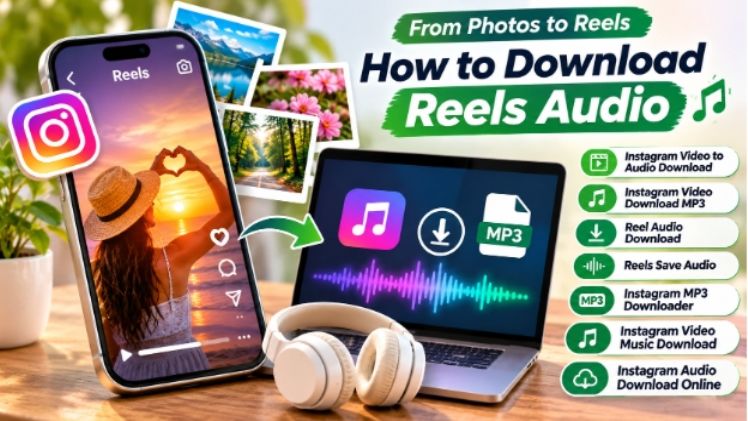
A striking photo can capture attention, but the right sound can make a social media post even more memorable. Whether you are sharing travel memories, aesthetic images, personal moments, or creative edits, combining visuals with suitable audio helps communicate the mood behind your content.
Instagram Reels make this combination especially useful. With a thoughtful selection of images, music, and transitions, creators can turn ordinary photographs into engaging short videos. Here are practical ways to choose visuals, work with audio, and create Reels that feel cohesive and authentic.
1. Start With a Visual Story
Before choosing music, decide what your Reel should communicate. A collection of vacation photos might tell a story of adventure, while a series of portraits could express confidence, nostalgia, or friendship.
Choose images that support one central idea. For example, a travel Reel might move from an arrival photo to scenic views and finish with a memorable sunset. This simple sequence gives viewers a reason to keep watching.
Photos should also have a consistent visual style. Similar lighting, colors, and composition help different images feel like parts of the same story.
2. Match the Audio to the Mood
Music influences how viewers interpret visual content. Soft instrumental sounds can complement peaceful landscapes, while energetic tracks may suit celebrations, fashion edits, and dynamic photo transitions.
When selecting reels audio, consider the emotional tone of the images rather than choosing a sound only because it is popular. A trending track may attract attention, but it should still make sense for the story.
Pay attention to the rhythm, too. Images changing on musical beats can make a Reel feel more polished without requiring complicated editing.
3. Turn Photo Collections Into Short Reels
A photo-based Reel does not need dozens of images or elaborate effects. A small collection of carefully selected pictures can create a strong result.
Try this simple workflow:
- Select five to ten photos that share a theme.
- Arrange them in a beginning, middle, and ending sequence.
- Add gentle zooms or transitions to create movement.
- Choose audio that complements the visual mood.
- Adjust image timing to match the rhythm.
- Preview the Reel before publishing.
For example, a birthday Reel could begin with a decorated venue, continue through candid moments, and end with a group photograph. A suitable soundtrack can connect these separate memories into one experience.
4. Find and Save Audio for Creative Projects
Instagram provides music and original audio that creators can discover while browsing Reels. When you find a sound that suits a future project, save it within Instagram if that option is available.
The reels save audio feature can help you keep track of sounds you may want to revisit. Creating a small collection of saved audio makes planning future content easier, especially when you manage several themes or accounts.
Sometimes, however, you may need an audio file for editing, offline reference, or a personal project. In those situations, an instagram audio downloader can be useful for supported public content that you own or have permission to use.
5. When an MP3 File Helps With Editing
Working with audio separately can make certain editing tasks more convenient. An MP3 file can be imported into compatible editing software, trimmed, or synchronized with a sequence of images.
An instagram video to audio download workflow is particularly useful when you want to study the sound from a video without keeping the entire visual file. Similarly, an instagram video download mp3 process can help creators prepare audio for permitted editing projects.
An instagram mp3 downloader may also simplify organizing audio references for personal creative work. Before using any downloaded track in a published video, check whether you have the necessary rights and whether the platform permits that use.
6. Choose the Right Audio Extraction Method
Different projects require different approaches. If you only want to save a sound within Instagram, the platform’s built-in saving options may be sufficient. If you need a separate audio file for a permitted project, an online tool may offer a more convenient workflow.
A browser-based instagram audio tool lets users process supported links without installing additional desktop software. Depending on the content and tool support, an instagram audio download online workflow may provide an MP3 file for offline listening or editing.
For creators working with video clips, an instagram video music download may be useful when they need to isolate a soundtrack for a project they own or are authorized to edit. A reel audio download can also help with reviewing timing, voiceovers, or sound design before creating original content.
Always verify that the content is supported and that your intended use is permitted.
7. Keep Copyright and Privacy in Mind
Not every sound available online is free to reuse. Music, recordings, and creator voiceovers may be protected by copyright, even when they are publicly accessible.
Before downloading or reusing audio:
- Use your own recordings or obtain permission from the rights holder.
- Review Instagram’s music and content policies.
- Avoid redistributing someone else’s work without authorization.
- Do not share private content or attempt to bypass access restrictions.
- Credit creators when appropriate, while remembering that credit alone does not replace permission.
These precautions help protect creators and reduce the risk of content being muted, removed, or restricted.
8. Make Every Reel Feel Intentional
The most effective photo Reels balance visual consistency, clear storytelling, and appropriate sound. A carefully selected soundtrack can strengthen the mood, while thoughtful transitions keep attention on the images themselves.
Start with a simple concept, choose photos that support it, and select audio that feels natural rather than forced. Whether you are creating a personal memory, a profile-focused montage, or a visual inspiration post, the goal is to make every element work together.
With a little planning, ordinary photographs can become expressive short-form videos that viewers enjoy watching and remembering.